Free web tool · No login · cubefit.app

Cubefit.app

How many cartons fit on one pallet, and how do I stack them? Type five numbers. Get the count, the picture and a sheet to print.

Cubefit.app is a pallet calculator for the people who actually stack the pallets. Pick the pallet, enter the carton, set the maximum height and weight. You get boxes per layer, number of layers, total boxes, total weight and a 3D picture you can turn with your finger. Then print the sheet and hand it over. It's that powerful and that simple'.

Made for the warehouse floor, not the boardroom

8 per layer, 8 layers, 64 boxes, 345 kg with the pallet - in one line.

I have run a warehouse. Nobody there has time for a manual. Cubefit.app asks for the pallet, the carton and the limits, and answers in one line. If the weight limit stops you first, it says so. If one more layer would go over the height, it shows you by how much.

Price

Free

No account. Works on your phone.

Open Cubefit.app - it's free See how it works

How it works

Three steps, no training

If you can read a tape measure, you can use Cubefit.app.

  1. 1 · Pick the pallet

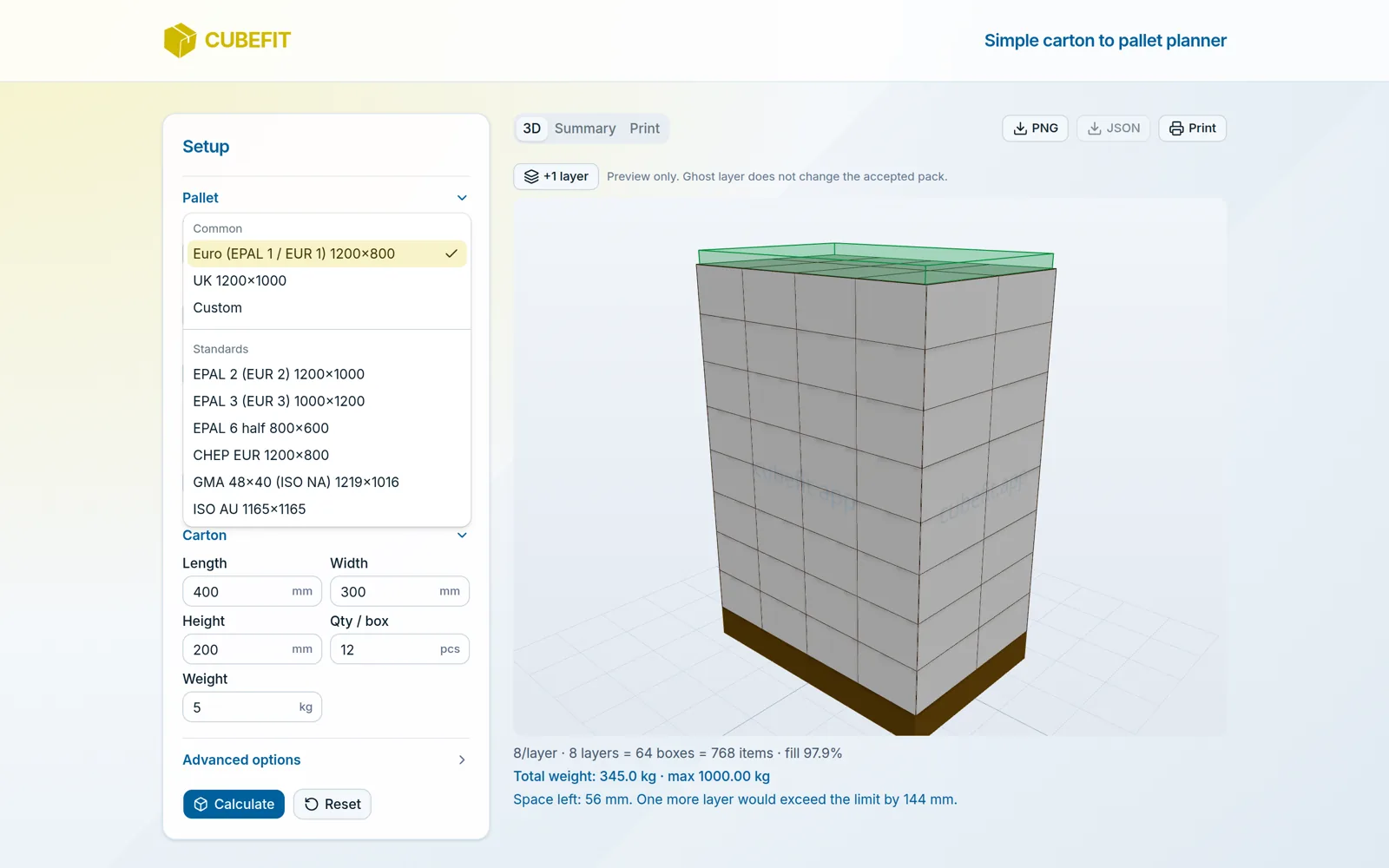
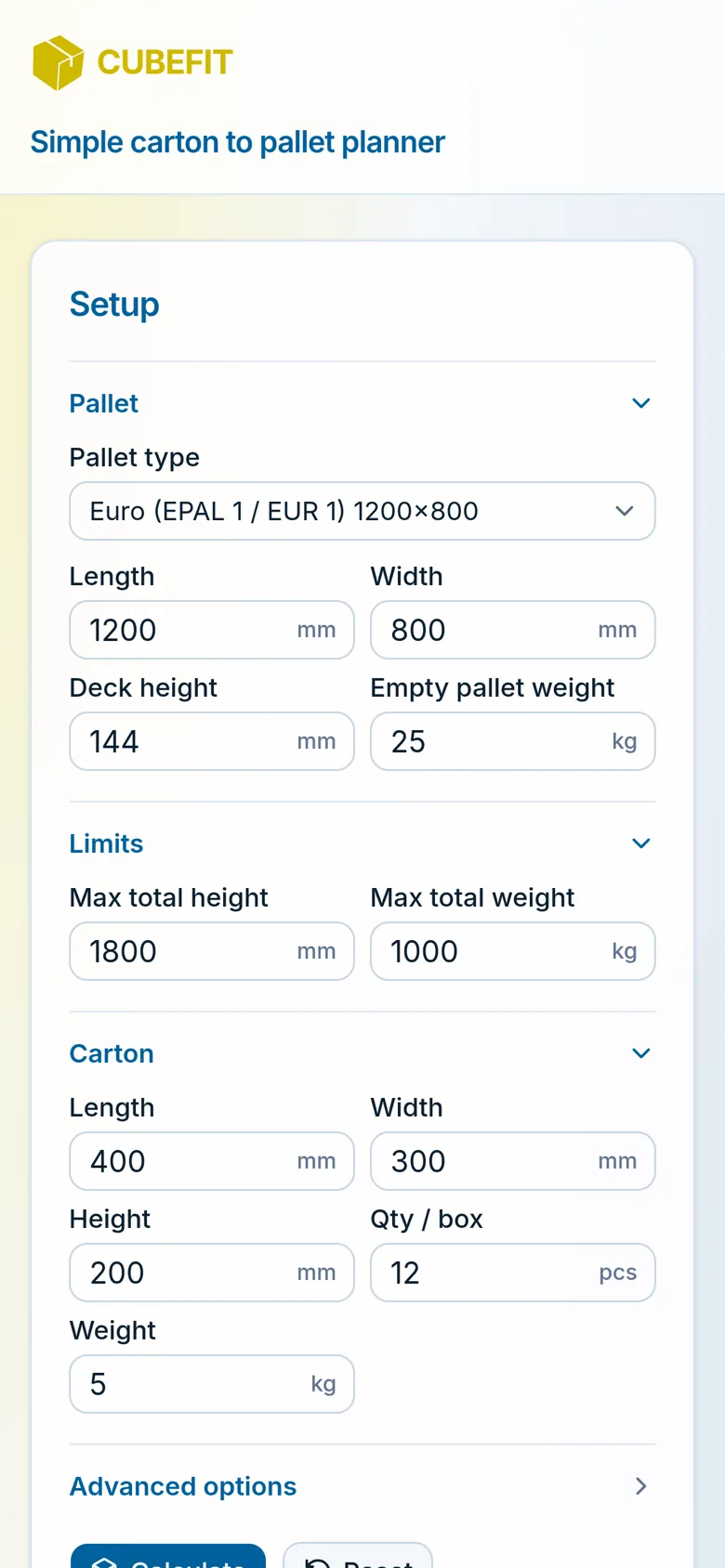
    Choose Euro 1200×800, UK 1200×1000 or another standard from the list, or type your own length and width. Check the deck height (the pallet itself) and the empty pallet weight. Then set your two limits: max total height and max total weight.

    Cubefit.app on a phone - pallet, limits and carton fields ready to fill in
  2. 2 · Enter the carton

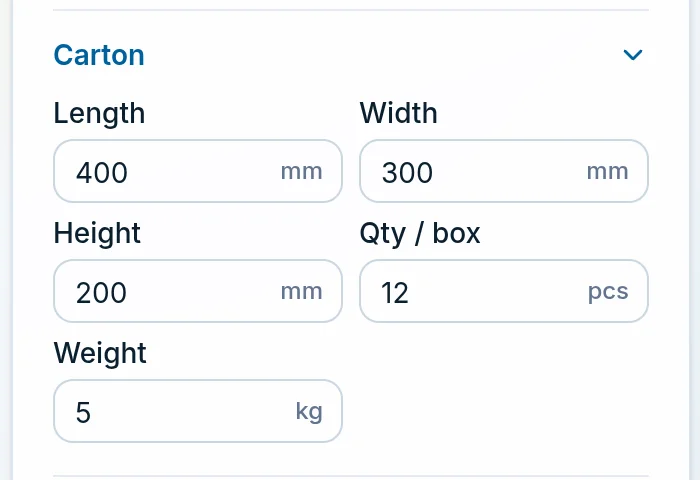
    Length, width, height, how many pieces are inside, and the weight of one carton. That is all.

    Cubefit.app carton fields - length 400, width 300, height 200 mm, 12 pieces per box, 5 kg
  3. 3 · Press Calculate and read the line

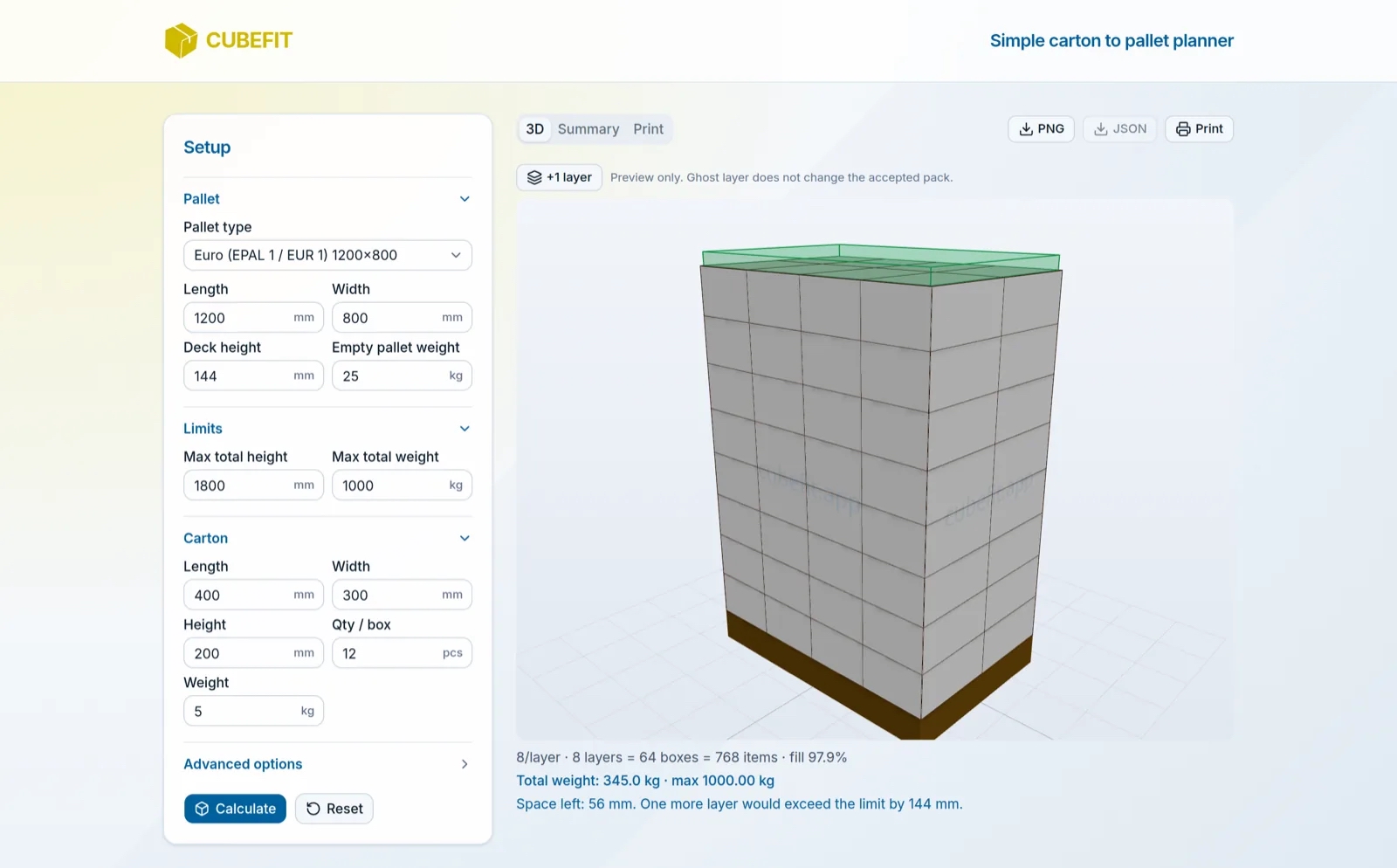
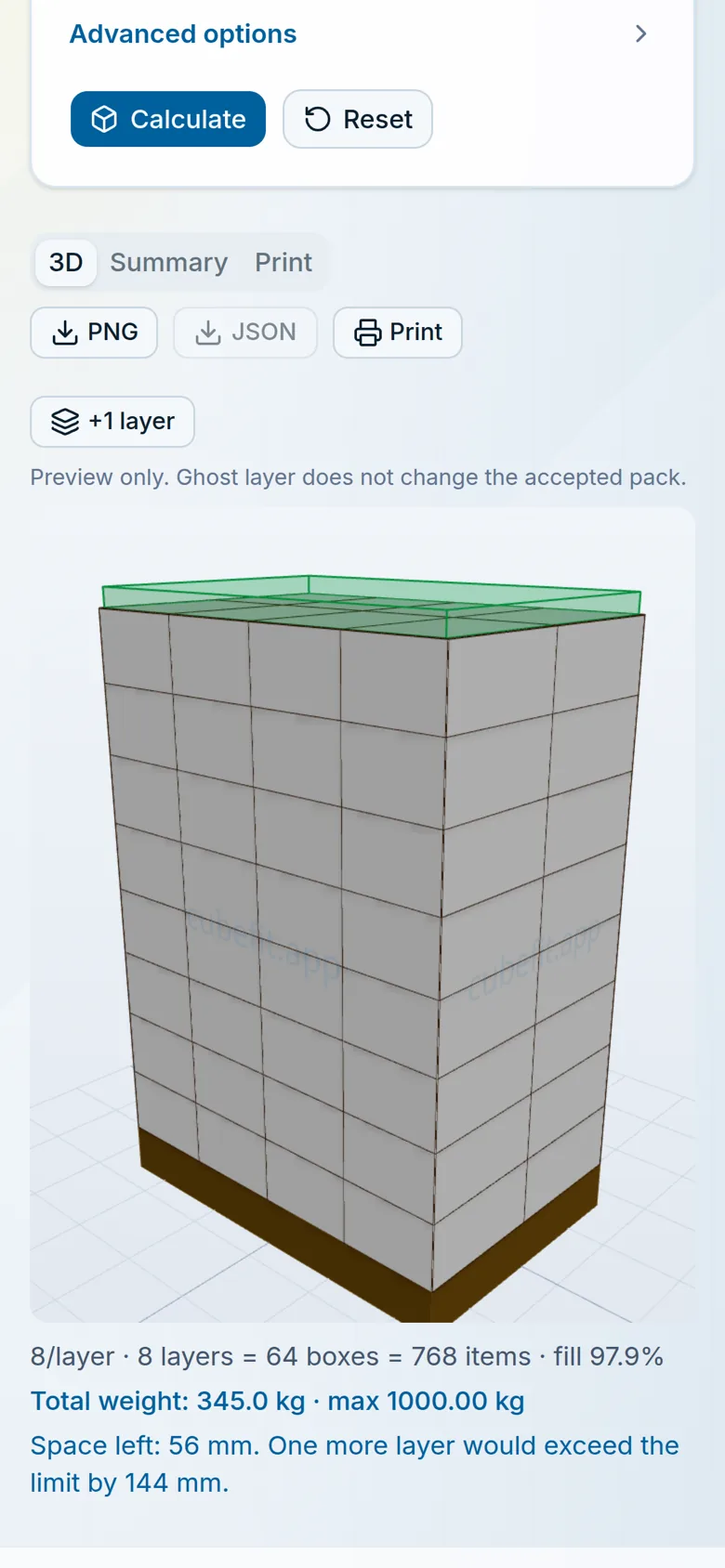
    "8/layer · 8 layers = 64 boxes = 768 items". Under it: total weight against your maximum, and how much height is left. Turn the 3D pallet, open Summary for the table and top view, or Print for the sheet.

    Cubefit.app result on a phone - 3D pallet with 8 per layer, 8 layers, 64 boxes

The result

The numbers a loader needs, nothing they don't

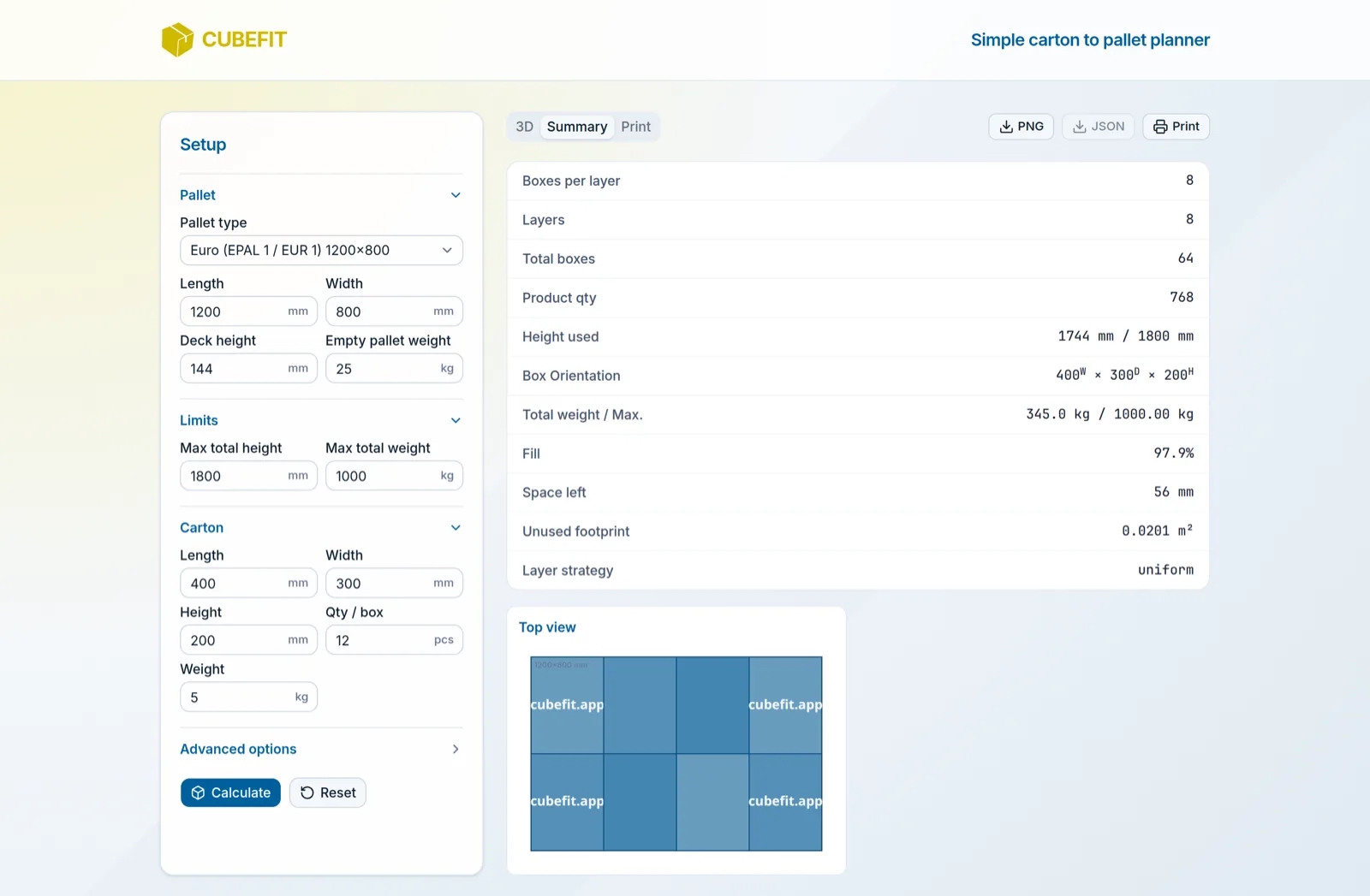
Most pallet tools bury the answer under options. Cubefit.app puts it in one line and keeps the details one click away in the Summary tab: boxes per layer, layers, total boxes, product quantity, height used against the maximum, carton orientation, total weight against the maximum, fill percentage, space left and unused footprint.

  • •Fill % tells you how well the carton suits the pallet
  • •Space left tells you whether it is worth changing the carton height
  • •Orientation tells you which way the carton goes down (W × D × H)
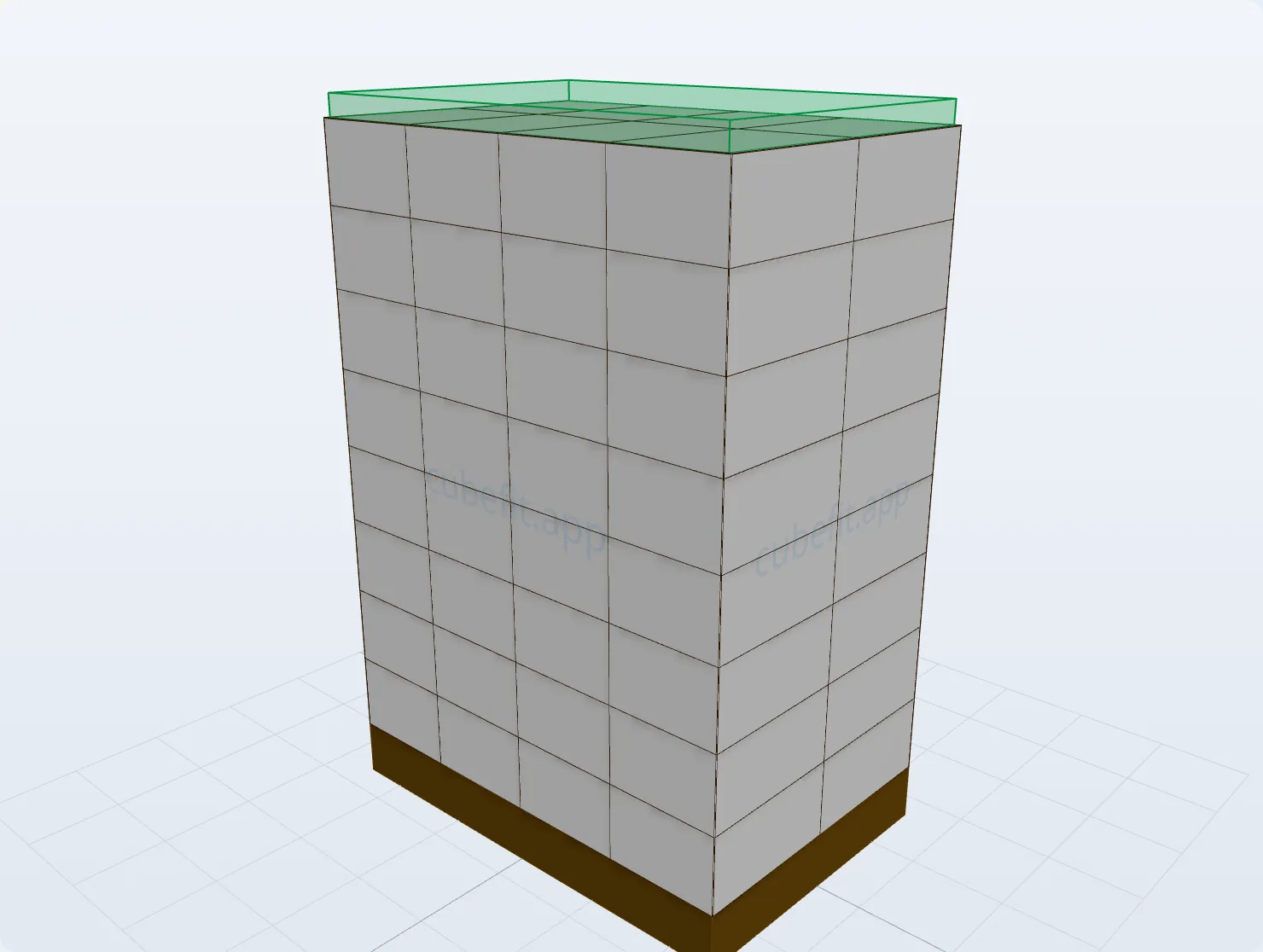
Cubefit.app 3D view - a Euro pallet stacked with 64 cartons in 8 layers

The limits

It stops where your limits stop

Heavy product? Cubefit.app fills the pallet up to your maximum weight and tells you how many full layers that is - and, if you allow it, tops up with a partial layer. Low racking or a truck door? Set the max height and the stack stays under it. A tiny overshoot is your call: there is a switch to allow an extra layer if it goes over by 10 mm or less.

  • •Max height and max weight are both respected, always
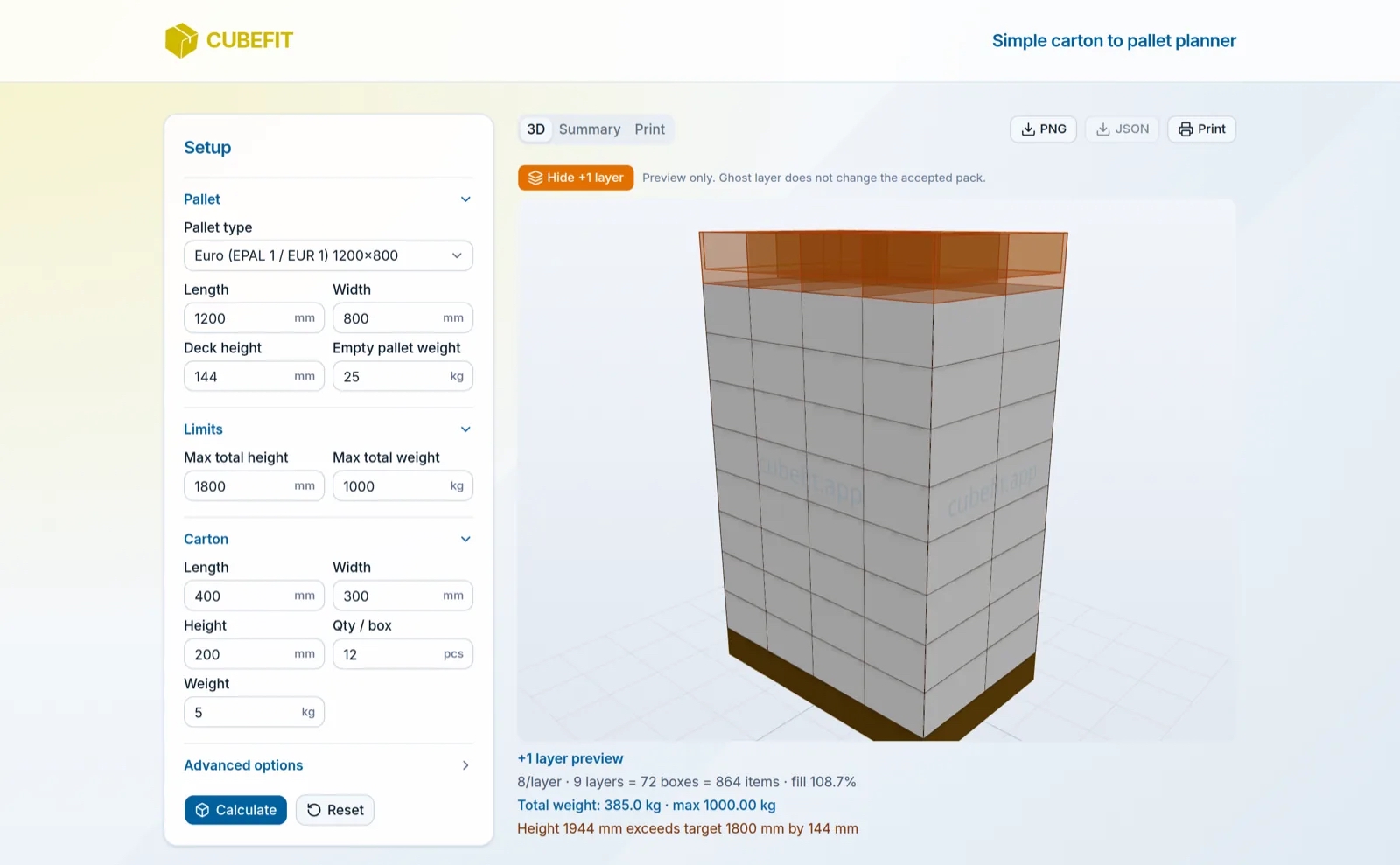
  • •"+1 layer" shows one more layer as a ghost so you can see what breaks
  • •Cartons stay "this side up" unless you allow tipping
Cubefit.app +1 layer preview - one more layer shown as an orange ghost above the height limit

The sheet

Print it and hand it to the person stacking

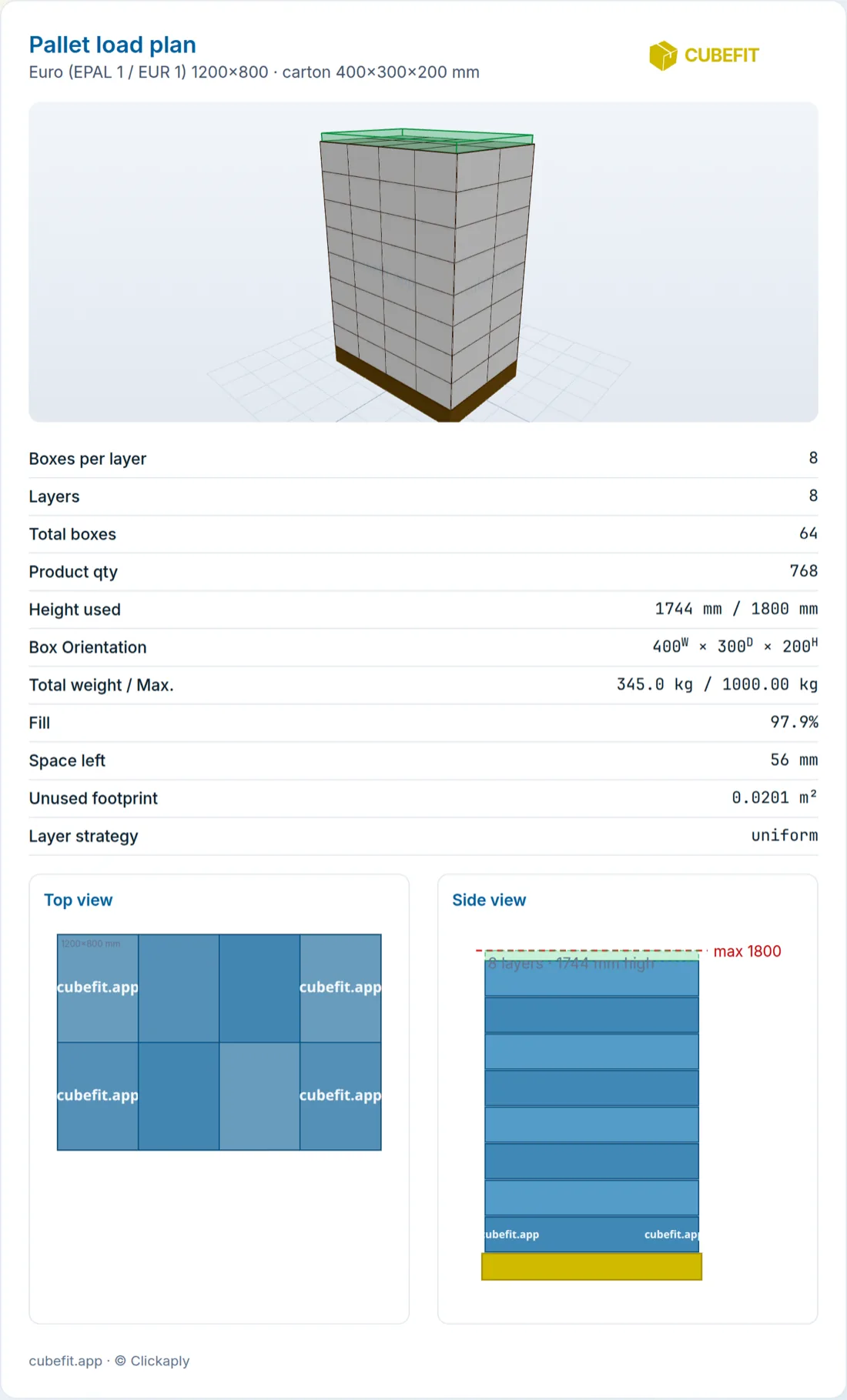
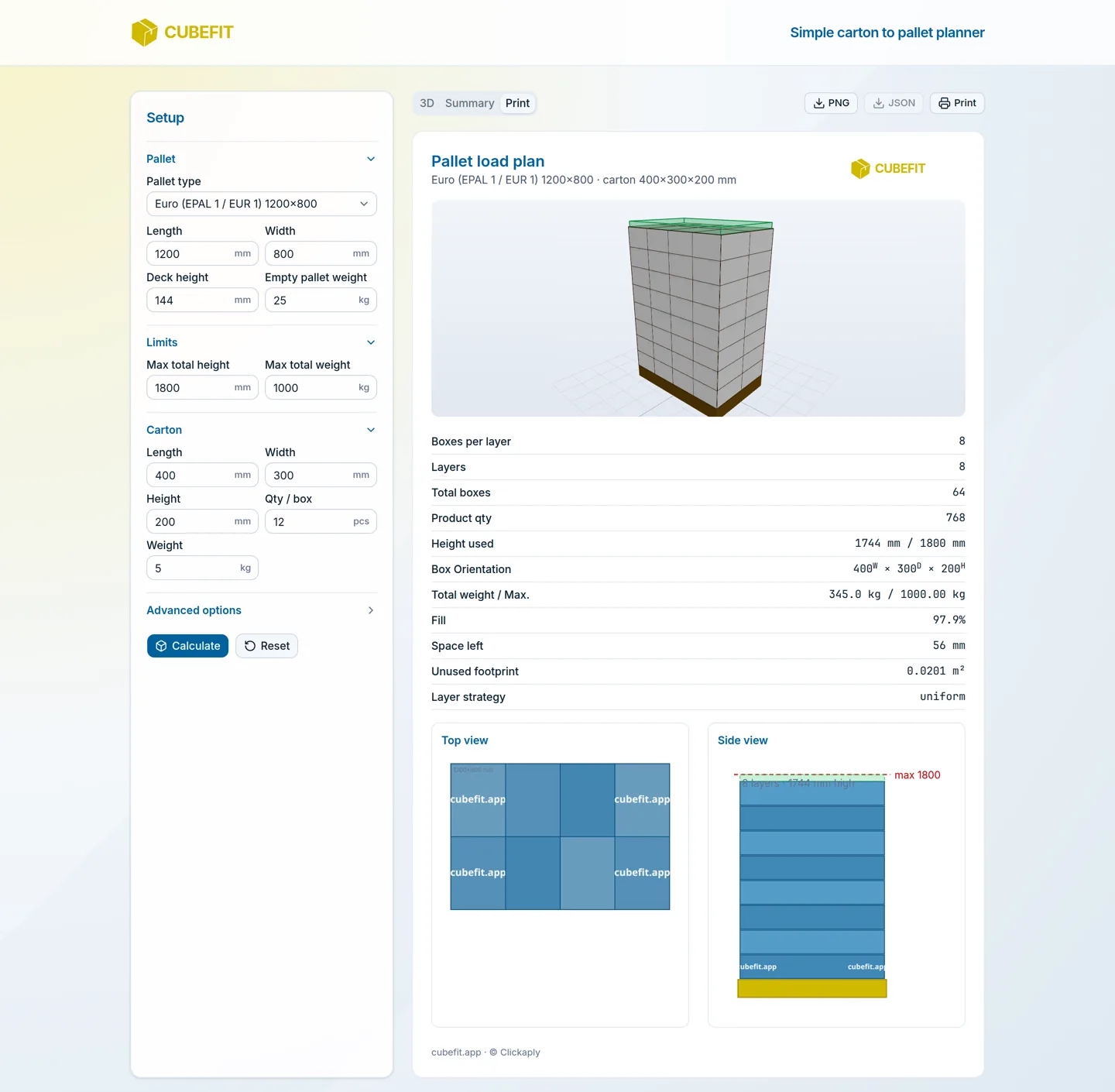
The Print tab is one page: the 3D picture, the summary table, a top view of one layer and a side view with the max-height line. It prints from the browser, and the PNG button saves the 3D picture for an email or a WhatsApp message. Nothing to explain twice.

  • •Top view shows the layer pattern with carton sizes
  • •Side view shows layers, total height and the limit
  • •Cubefit.app remembers your pallet settings on the same device
Cubefit.app print sheet - 3D picture, summary table, top view and side view on one page

Inside the app

One screen, one answer

Here is what it looks like with real numbers in it.

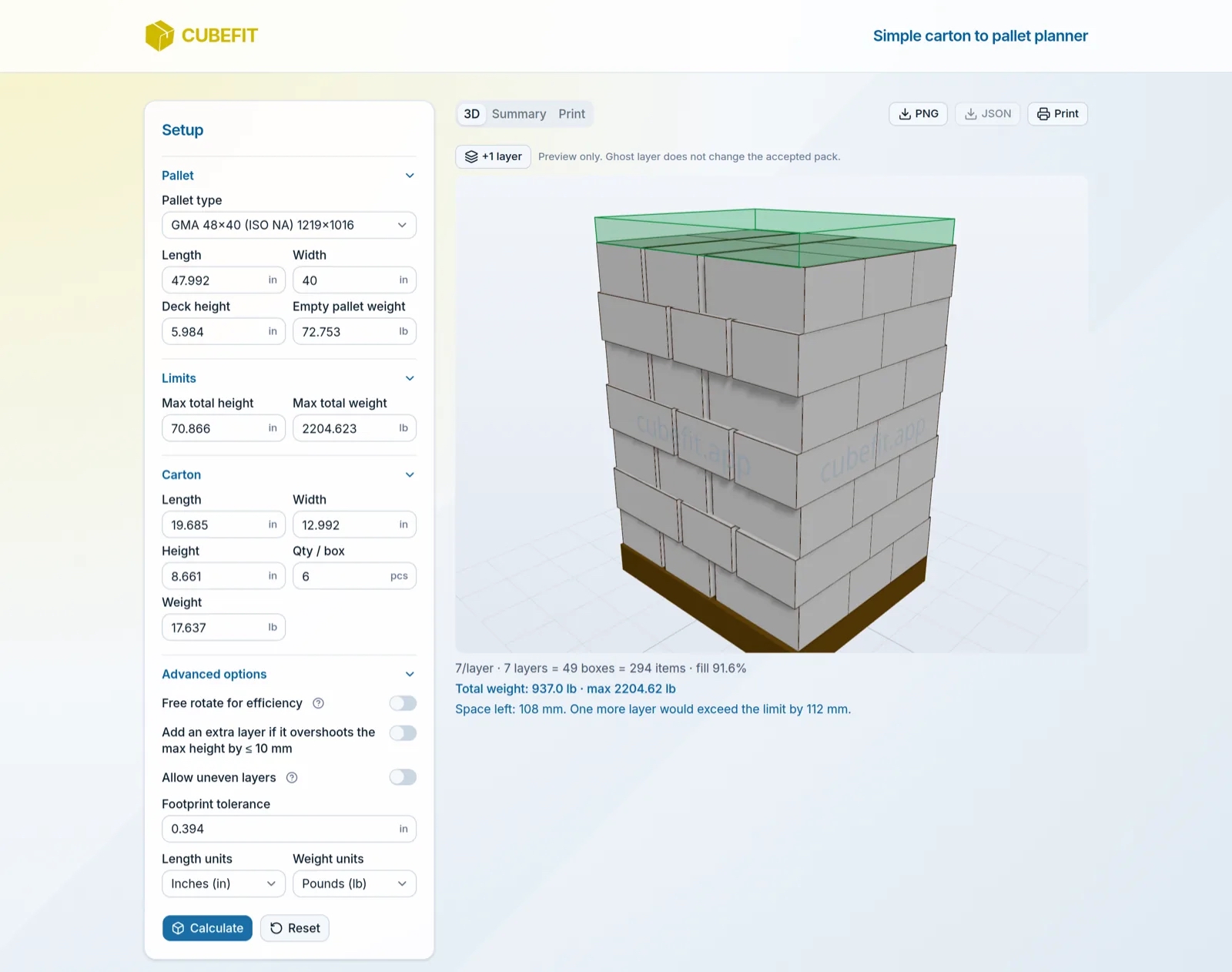
Cubefit.app - one screen, one answer: setup on the left, the 3D stack on the right
One screen, one answer. Pallet, limits and carton on the left; the stack on the right. Euro pallet, 400×300×200 carton, 1800 mm and 1000 kg limits: 8 per layer, 8 layers, 64 boxes, 97.9 % fill.
Cubefit.app - your pallet is probably in the list: the pallet type presets
Your pallet is probably in the list. Euro, UK, EPAL 2, EPAL 3, half pallet, CHEP, GMA 48×40, ISO AU - or Custom.
Cubefit.app - the summary table and the top view of one layer
The table and the top view. Every number from the result in one table, plus how one layer is laid out.
Cubefit.app - the sheet you print: picture, numbers, top view and side view
The sheet you print. Picture, numbers, top view, side view. One page, A4.
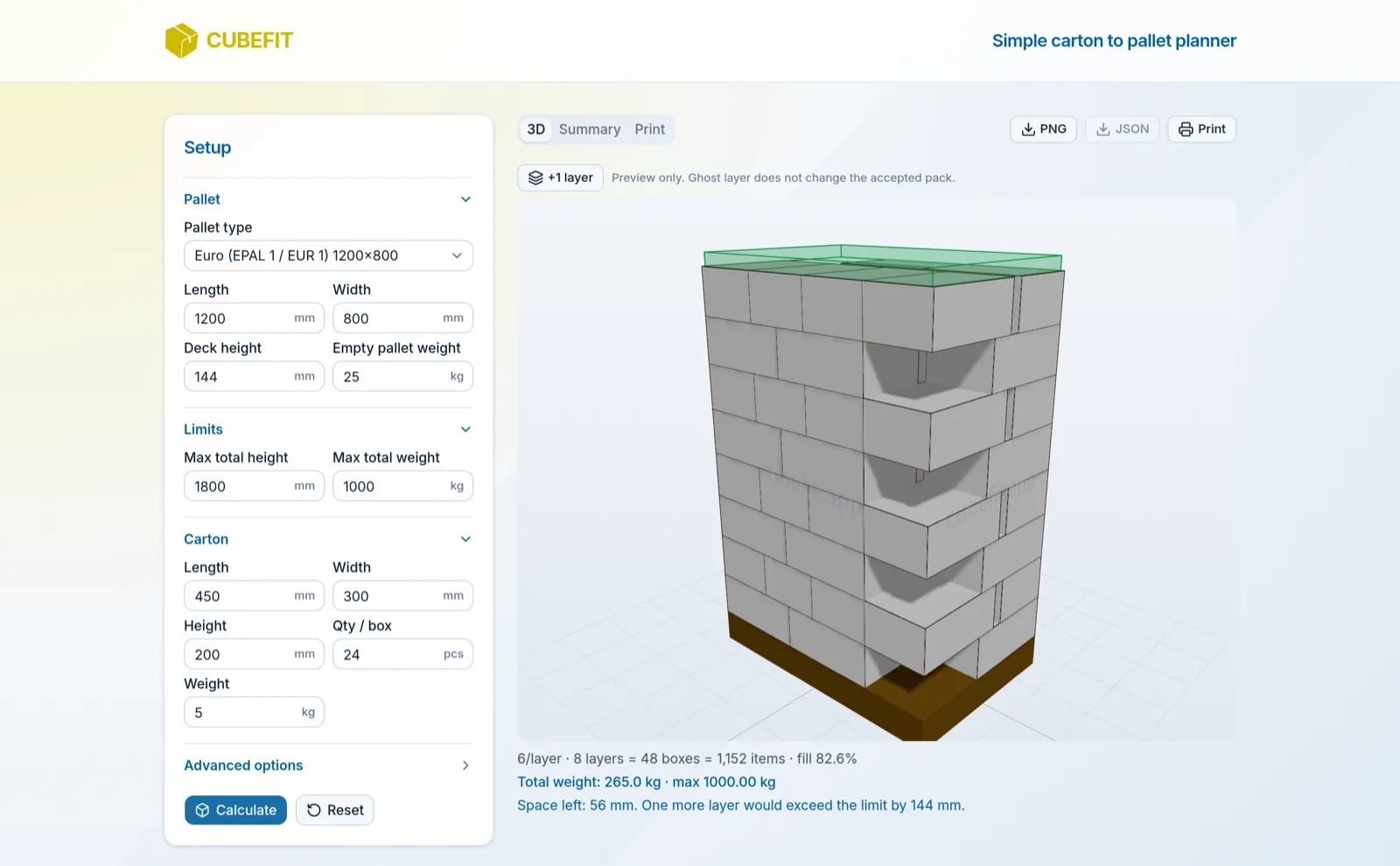
Cubefit.app - it turns cartons when that fits more: a mixed layer pattern in 3D
It turns cartons when that fits more. A 450×300 carton on a Euro pallet: Cubefit.app mixes the direction within the layer and alternates layers 180° so the stack locks.
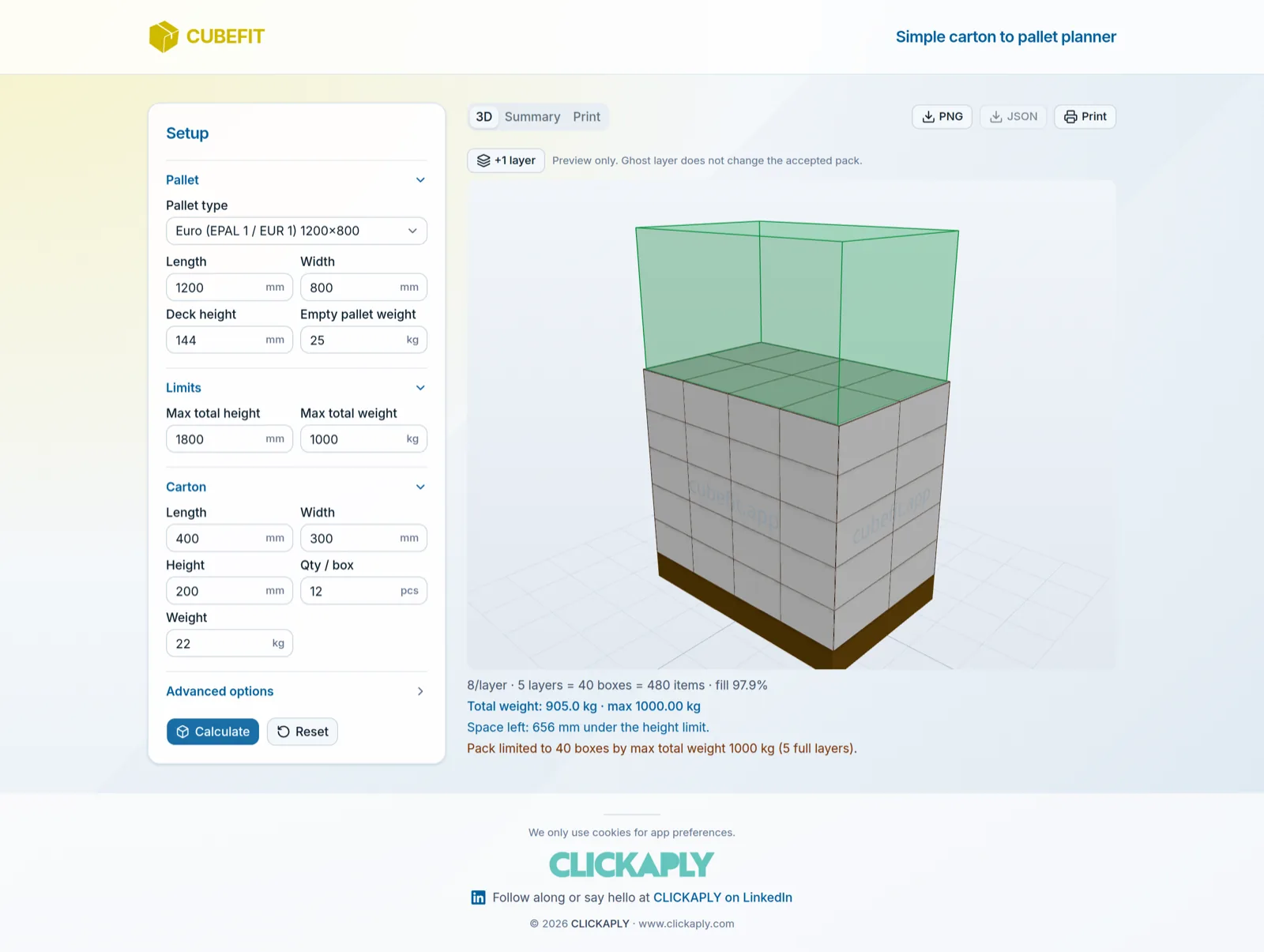
Cubefit.app - weight first, honestly: five full layers reach the 1000 kg limit
Weight first, honestly. 22 kg cartons: five full layers reach the 1000 kg limit. The green box is the height you did not need.
Cubefit.app - inches and pounds: a GMA 48×40 pallet
Inches and pounds, if that is your world. A GMA 48×40 pallet in inches and pounds. Numbers convert when you switch units.
Cubefit.app - on the phone, next to the pallet: the full result on a mobile screen
On the phone, next to the pallet. The whole tool works on a mobile screen. Turn the pallet with your finger.

How the stack is worked out

Four rules. No surprises on the dock.

  1. 1 · Footprint

    Cartons are laid on the pallet in the direction that fits the most per layer, within the overhang you allow (10 mm by default). If mixing directions fits more, it does that and alternates the layers.

  2. 2 · Height

    Pallet deck plus layers must stay under your maximum. A layer that would go over is not added, unless you allow the small-overshoot switch and it is 10 mm or less.

  3. 3 · Weight

    Cartons plus the empty pallet must stay under your maximum. If weight stops the stack before height does, you get full layers only, or a partial top layer if you allow uneven layers.

  4. 4 · Orientation

    Cartons stay upright unless you switch on free rotation. Then they may be tipped if that fits more, and the result tells you which way they lie.

What Cubefit.app does not do: mix two products on one pallet, judge crush strength, or plan a truck or container. It is geometry and weight arithmetic done quickly and shown clearly - the stacker still checks the stack.

Price

Free. No account.

Cubefit.app is free to use at cubefit.app. There is no login, no trial clock and no card. The pallet calculator you see today stays free. If extras come later - saved plans, mixed loads, a version that lives on your own website - they will sit next to it, not in front of it.

€0 no login

Open Cubefit

Coming soon

Soon it can live on your site, too

Embed & API - coming soon

Two things are in the works: putting Cubefit.app on your own website - a supplier portal, an intranet page, a packaging shop - and an API that gives the same answer as numbers to the systems that want numbers, not pictures. Both are being built now. If you want to be first, say so.

Try it with a real carton

Grab a carton from the line, measure it, open Cubefit.app on your phone and compare with the pallet in front of you. If the numbers surprise you, tell me - I read every message.